
Stream highlights
Stream highlights are the moments of a live stream worth watching again. After each stream Trigglow ranks them from what happened live (chat bursts, clips, alerts, donations and raids) and gives you a timestamped list that links to the VOD at that second, ready to turn into chapters or clips.
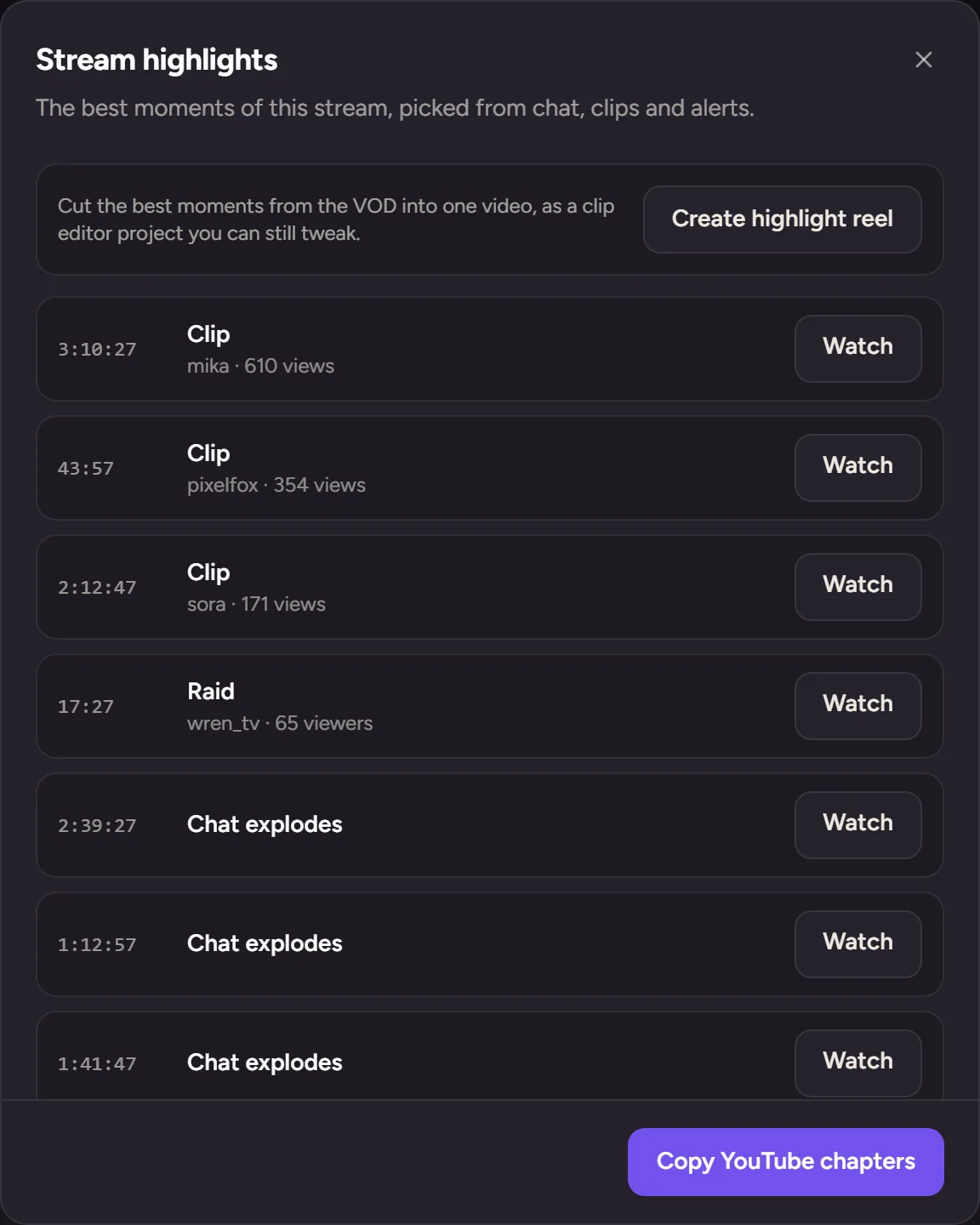
A ranked list of moments after every stream
Each ended stream gets its moments in order of how much happened, with the time and the reason, on Kick, Twitch and YouTube. The list is free.
YouTube chapters and Twitch markers
Copy the moments as YouTube chapters for your VOD description, and let Trigglow place Twitch stream markers for you.
Highlight reel on Pro
On Pro, one click cuts a highlight reel from a Twitch VOD into a clip editor project, with captions and a hook title, plus vertical shorts you can edit and publish.
How to set it up
- 1
Connect your channel
Sign up and connect Kick, Twitch or YouTube.
- 2
Go live as usual
Trigglow keeps track of chat, clips, alerts and raids while you stream.
- 3
Open your stream history
In Activity, open the stream to see its moments.
- 4
Use them
Copy chapters, jump to the VOD or, on Pro, cut a highlight reel.
FAQ
- Is it free?
- The moments list, YouTube chapters and Twitch markers are free. The automatic highlight reel is part of Pro.
- Does it watch my video?
- No. Moments come from what happened on stream (chat, clips, alerts, raids), not from analysing the video.
- Which platforms does the reel support?
- The reel needs a VOD it can cut, which today means Twitch.
More for your stream
- GiveawaysRaffle a prize live, with fair weighted entries and a roulette on screen.
- Viewer loyaltyGive your regulars levels, points and rewards for being part of the stream.
- Goals and questsGive your chat something to work towards, with progress they can see on stream.
- Song requestsYour chat picks the music; you keep control of the queue.
- Chat moderationSpam filters and banned words that act before your mods have to.
- Stream analyticsSee how each stream went and how your channel grows over time.
- StoreSell downloads, services and memberships to your community from your own page.
- Trigglow LinkOne page with everything your viewers need: links, socials, support and store.