
Chat moderation
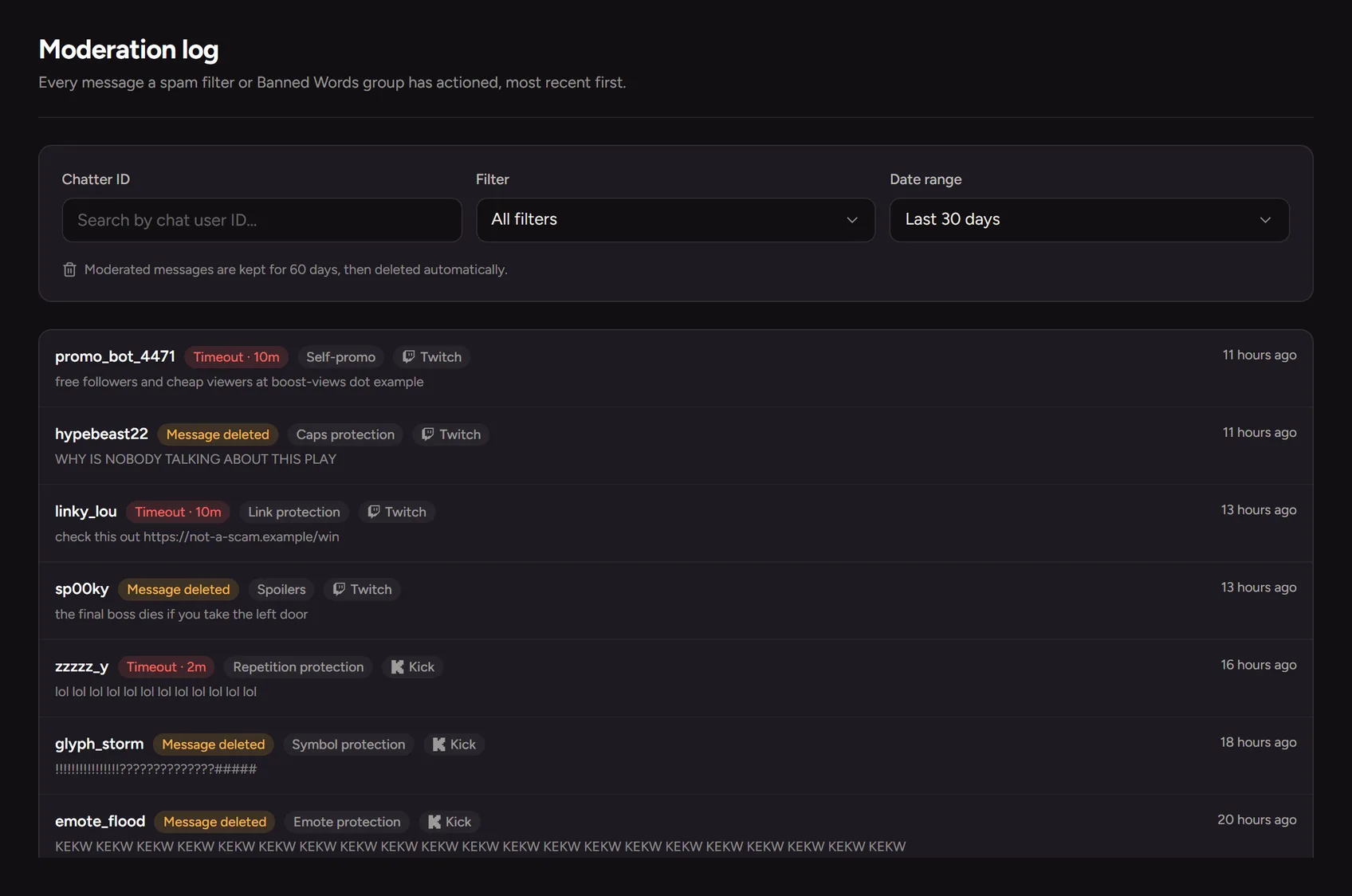
Chat moderation keeps a live chat readable and safe. Trigglow's filters catch caps, links, emote and symbol spam, walls of text and repeated messages on Kick, Twitch and YouTube, and apply the penalty you choose, from deleting the message to a timeout or a ban, with every action logged.
Spam filters and banned words
Turn on filters for caps, links, emotes, symbols, long messages, repetition and more. Group banned words, each group with its own penalty, and start from a built-in profanity list.
Penalties that escalate
Delete, warn, time out or ban. Repeat offenders can get longer timeouts, and trusted roles can skip the filters.
Clean overlays and a log of every action
Mask profanity and links before viewer text reaches your overlays, set how strictly AI checks images and GIFs, and review everything that was actioned.
How to set it up
- 1
Create a free account
Sign up and connect your channel.
- 2
Turn on filters
In Safety, enable the spam filters you need and set their penalties.
- 3
Add banned words
Create word groups or start from the built-in list.
FAQ
- Is it free?
- Yes, chat moderation is included on every plan.
- Does it replace my mods?
- It handles the repetitive part so your mods can focus on the rest, and the log shows them everything it did.
More for your stream
- Stream analyticsSee how each stream went and how your channel grows over time.
- StoreSell downloads, services and memberships to your community from your own page.
- Trigglow LinkOne page with everything your viewers need: links, socials, support and store.
- Text to speechYour alerts read the viewer's message out loud, in the voice they choose.
- AutomationsLet your stream react on its own: when this happens, if that is true, do these things.
- OBS docksYour alerts and your chat, inside OBS.
- Stream alertsAnimated alerts for Kick, Twitch, YouTube and TikTok LIVE that play centred on your OBS scene.
- Chat botOne bot for Kick, Twitch and YouTube: commands, timers, moderation and loyalty.