
Clip editor for streamers
A clip editor for streamers turns moments from a live stream into short videos for TikTok, YouTube Shorts and Reels. In Trigglow you bring in Twitch and Kick clips or your own uploads, pick a layout for your camera and gameplay, add captions and effects, and export or publish without installing anything.
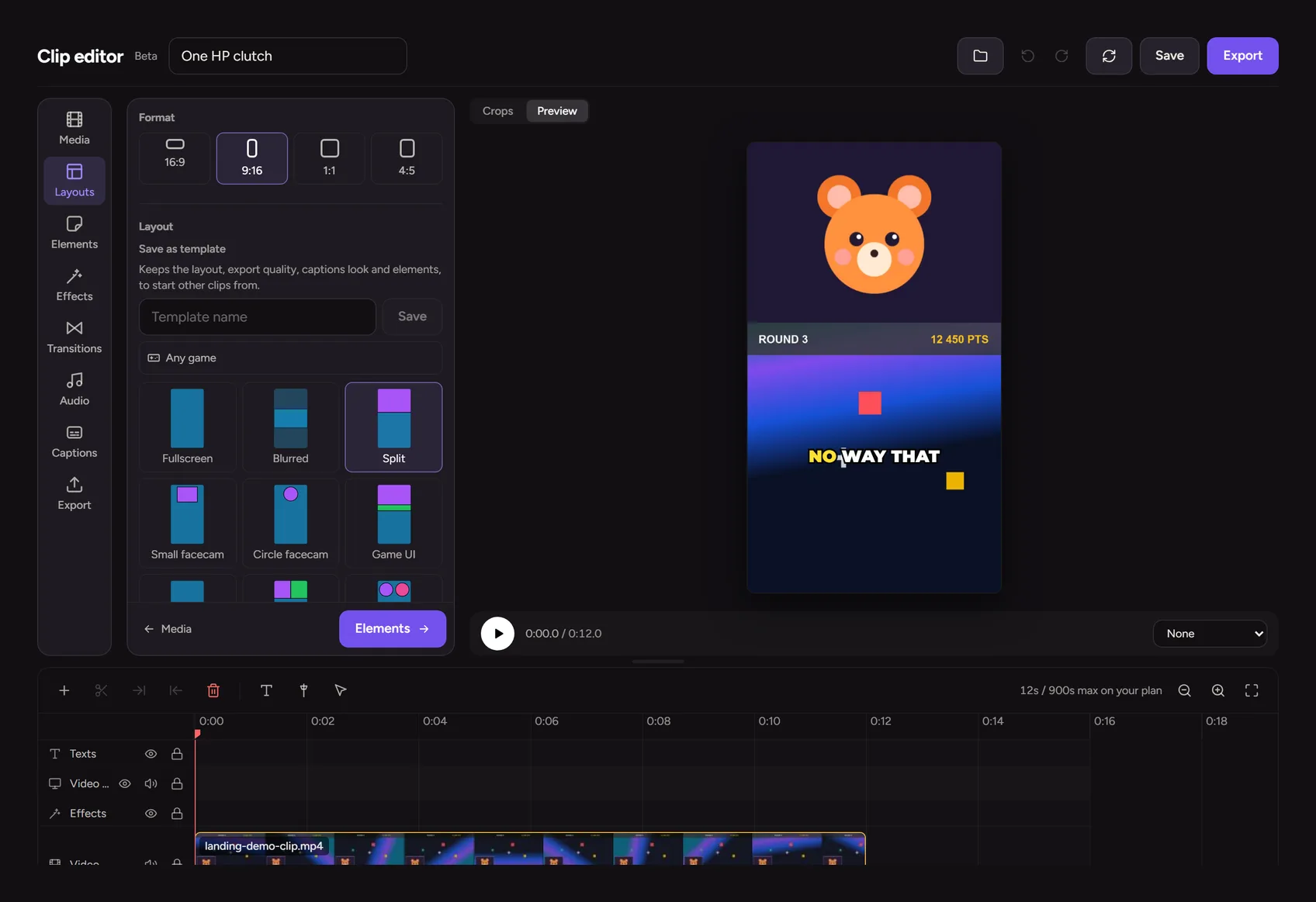
Vertical layouts for camera and gameplay
Choose 16:9, 9:16, 1:1 or 4:5 and a layout template (split screen, small cam, circle cam, game UI and more), with a crop or a blurred background.
Animated captions and effects
Style captions from a set of presets, then add transitions, sound effects, background music, images, stickers and GIFs. Save your setup as a template for the next clip.
- Caption presets, including karaoke-style word highlights
- Automatic subtitles and AI hook titles on Starter and Pro
- Green-screen key for your camera
Export and publish to YouTube and TikTok
Export from 720p up to 4K (4K is part of Pro) and download the file, or publish to YouTube or send it to TikTok on Starter and Pro. Free exports carry a small watermark.
How to set it up
- 1
Create a free account
Sign up and open Clips in the dashboard.
- 2
Bring in a clip
Upload a video or add a Twitch or Kick clip to your library.
- 3
Edit it
Pick a format and layout, add captions and effects on the timeline.
- 4
Export or publish
Download the video or publish it to YouTube or TikTok.
FAQ
- Is the clip editor free?
- Yes, you can edit and export clips on the free plan, with a shorter maximum length and a watermark. Starter and Pro allow longer clips, higher quality, no watermark and the AI tools.
- Do I need to install anything?
- No. The editor runs in the browser and the video is rendered on our servers.
- Is it finished?
- Clips is in beta: it works today and we keep adding to it, so some details may change.
More for your stream
- Stream highlightsFind the best moments of every stream without rewatching the whole VOD.
- GiveawaysRaffle a prize live, with fair weighted entries and a roulette on screen.
- Viewer loyaltyGive your regulars levels, points and rewards for being part of the stream.
- Goals and questsGive your chat something to work towards, with progress they can see on stream.
- Song requestsYour chat picks the music; you keep control of the queue.
- Chat moderationSpam filters and banned words that act before your mods have to.
- Stream analyticsSee how each stream went and how your channel grows over time.
- StoreSell downloads, services and memberships to your community from your own page.