TikTok
TikTok LIVE alerts
TikTok LIVE alerts are the animations and sounds that play on stream when a viewer sends a gift, follows you or subscribes during your TikTok LIVE. Once you link TikTok, Trigglow reads your LIVE events and plays the matching alert centred on your OBS scene, through the same browser source as Kick, Twitch and YouTube.
TikTok gifts, follows and subscriptions
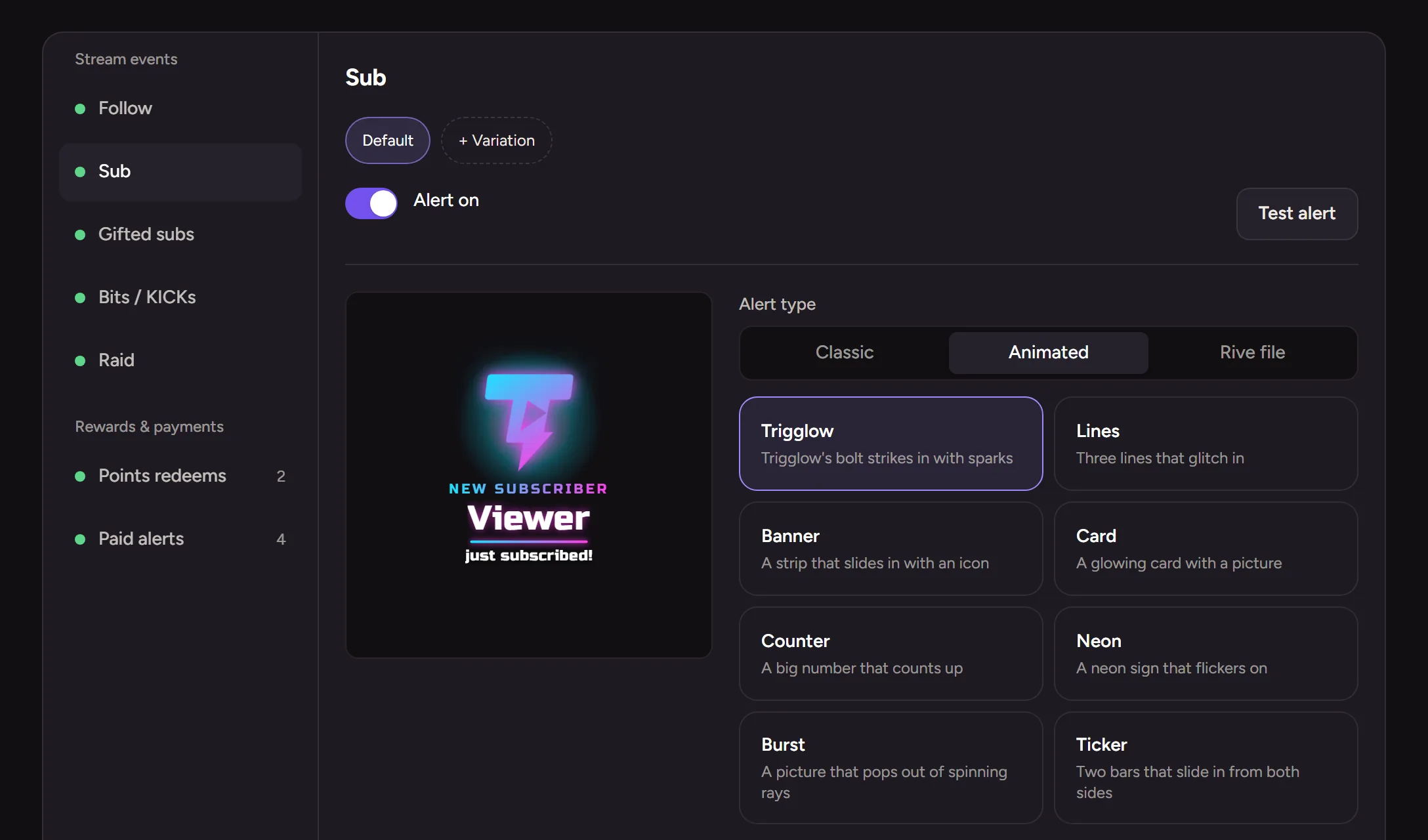
Each TikTok LIVE event becomes an alert. Gifts use your bits and KICKs alerts, with the diamonds as the amount, so a big gift can look different from a small one with variations.
- Gifts, with diamonds as the amount
- Follows
- LIVE subscriptions
Your own alerts, animated or with your media
Start from built-in animated templates or upload your own GIFs, images, transparent WebM videos and sounds, and change the text, size and duration of each alert.
TikTok chat on your overlay and activity
Messages from your TikTok LIVE reach your chat overlay and your activity feed next to the other platforms. TikTok chat is read-only for Trigglow, so the chat bot does not reply there.
How to set it up
- 1
Link TikTok
Create a free account and link your TikTok account in Connections or during onboarding.
- 2
Style your alerts
Choose a template or your own media for gifts, follows and subscriptions.
- 3
Add the overlay to OBS
Copy the overlay URL from the dashboard and paste it into OBS as a 1920×1080 Browser Source. Alerts from every connected platform play through that one source; nothing to install.
- 4
Go LIVE on TikTok
When your TikTok LIVE starts, Trigglow picks up its events by itself.
FAQ
- Do I need to install anything?
- No. Link TikTok in the dashboard and add the overlay to OBS as a browser source.
- Can the chat bot answer on TikTok?
- No. TikTok chat is read-only for Trigglow: messages show on your overlay and activity, but the bot only replies on Kick, Twitch and YouTube.
- Is it free?
- Yes. There is a free plan with no card required. Paid plans lift the limits and lower the fee on paid alerts; the Pricing page has the current details.
More for your stream
- Chat botOne bot for Kick, Twitch and YouTube: commands, timers, moderation and loyalty.
- Channel pointsRewards on Kick and Twitch that fire a sound, a meme or a video on your stream.
- OverlaysAlerts, chat, goals and more as OBS browser sources, styled with one theme.
- DonationsViewers pay to fire an alert with their message; the money goes to your bank through Stripe.
- Clip editorTurn your best stream moments into vertical clips with captions, right in the browser.
- Stream highlightsFind the best moments of every stream without rewatching the whole VOD.
- GiveawaysRaffle a prize live, with fair weighted entries and a roulette on screen.
- Viewer loyaltyGive your regulars levels, points and rewards for being part of the stream.